Why Temporary Email Is Receive-Only & How to Send Privately
On this page
- Can I Send Email From a Temporary Email Address?
- 4 Reasons Why Temp Mail Services Block Outgoing Messages
- Inside a Receive-Only Mail Server: How It Works Behind the Scenes
- What If a Website Asks You to Reply to an Email?
- Legitimate Alternatives When You Need to Send or Reply Privately
- How to Choose the Right Tool Before You Sign Up
No, you cannot send or reply to messages from a standard temporary email address. Services like FakeEmail.net are built to be strictly receive-only so that spammers and scammers cannot abuse them to send bulk junk mail, phishing links, or harassment, which would quickly get the service's domains blocklisted. If you need to send an email or reply to a conversation without revealing your primary address, your best option is an authenticated email alias or a secondary webmail account.
Can I Send Email From a Temporary Email Address?
When you open a free disposable inbox to grab a verification code or download a guide, you will notice something missing right away: there is no "Compose" button and no "Reply" button. While you can copy your generated address, paste it into a sign-up form, and watch incoming emails appear automatically, traffic only flows in one direction.
This is not a missing feature or a technical glitch—it is a deliberate design choice shared by almost every reputable, no-registration temp mail provider. To understand why, it helps to look at the difference between receiving an email and sending one across the internet.
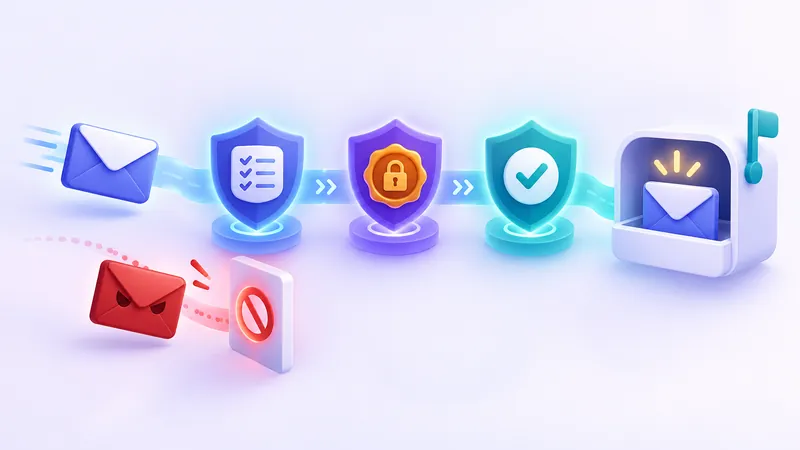
Accepting an incoming message only affects the server receiving it. When a website sends a confirmation link to your disposable address, the temp mail provider simply catches that message and displays it in your browser session. Sending an email, however, pushes data out onto other networks—like Gmail, Outlook, Yahoo, and corporate mail servers—where strict security filters guard the door.
If a service requires zero registration, no password, and no identity verification, opening up an outgoing mail server to the public would create an immediate security crisis. Let's look at the four main reasons why receive-only email is the standard for disposable inboxes.
4 Reasons Why Temp Mail Services Block Outgoing Messages
1. Stopping Spam and Bulk Abuse at the Source
The global email system battles billions of unwanted messages every single day. Standard email providers keep spam under control by requiring new users to create an account, solve security challenges, or verify a phone number. They also monitor accounts for suspicious activity and rate-limit how many messages a new user can send per hour.
A true temporary email service has none of those friction points. When you visit FakeEmail.net, an address is ready on the screen immediately with no sign-up form. If an anonymous page like that also allowed outgoing mail, automated bots would write scripts to send millions of marketing blasts and junk messages within minutes.
2. Preventing Phishing, Scams, and Harassment
Allowing anyone to send completely unauthenticated messages makes it dangerously easy for bad actors to impersonate businesses, run financial scams, or harass individuals without accountability. Responsible privacy tools exist to help everyday users protect their personal inboxes from clutter and data breaches—not to help fraudsters target other people.
By disabling outbound mail entirely, a temporary email service removes the ability for scammers to use its domains as a launchpad for phishing attacks. For a closer look at where the line sits between smart privacy protection and prohibited conduct, read our guide on whether temp mail is safe and legal to use.
3. Protecting Domain Reputation and Deliverability
Email servers rely on a system of trust called IP and domain reputation. Organizations like the Cybersecurity and Infrastructure Security Agency (CISA) and major inbox providers constantly monitor where malicious or unwanted emails originate. When a domain starts sending out spam or unverified traffic, automated security systems flag it within minutes.
Once a domain is flagged on major anti-spam blocklists, several things happen rapidly:
- Outgoing mail is rejected: Receiving servers at major providers simply drop any message coming from that domain.
- Domain registrars intervene: The registry or hosting provider that manages the domain name may suspend it entirely for violating anti-abuse terms.
- Incoming mail breaks too: If a domain is suspended at the registry level because of outbound spam, users can no longer receive verification codes or legitimate sign-up messages on it either.
Keeping a temporary email service strictly receive-only keeps its network reputation clean. That ensures the domains stay healthy and online for their real purpose: receiving your incoming messages reliably.
4. Public Inboxes Are Unsafe for Two-Way Conversations
Disposable email addresses are designed for quick, one-way interactions, not private back-and-forth conversations. On FakeEmail.net, your addresses are tied to your browser session rather than a password-protected account. Anyone who knows or guesses a specific username on one of our domains can open that same inbox and read the messages inside.
Imagine what would happen if you sent an email to a colleague, a store's support team, or a friend from a public temporary address. When that person hits "Reply," their response—along with your original quoted message and any personal details they include—would land in an unauthenticated inbox that anyone who guesses the address could view. Removing the ability to send mail prevents users from accidentally starting sensitive conversations in a public space.
Important privacy reminder: Because temporary email addresses do not have passwords and can be opened by anyone who knows the address, never use them for banking, medical records, government services, or anything containing sensitive personal data.
Inside a Receive-Only Mail Server: How It Works Behind the Scenes
If you have ever wondered how an email address can exist if it cannot send mail, the answer lies in how internet mail protocols are separated. Under the standard defined by the IETF's Simple Mail Transfer Protocol (RFC 5321), handling incoming mail and sending outgoing mail are two distinct jobs.
Here is how a receive-only disposable email system is structured compared to a traditional mailbox:
- MX Records (Mail Exchange): The temporary email domain publishes DNS records telling the rest of the internet, "Send mail for this domain to this specific receiving server." When you sign up for a newsletter, the sender's server looks up that record and delivers the message.
- No Outbound SMTP Relay: A traditional provider like Gmail runs powerful outgoing SMTP servers that authenticate your username and password, attach cryptographic signatures, and deliver your message to other networks. A receive-only temp mail server simply does not run an outbound relay for users.
- Strict Authentication Lockdowns: Responsible receive-only domains often publish strict SPF, DKIM, and DMARC records that explicitly tell the rest of the world: "This domain never sends outgoing mail. If you receive an email claiming to come from this domain, reject it immediately as a forgery."
This clean separation makes the system fast, lightweight, and resistant to spoofing. You can learn more about how incoming messages are caught and displayed in your browser in our article on how temporary email services work behind the scenes.
What If a Website Asks You to Reply to an Email?
Nine times out of ten, when you register for a website, download a free resource, or join a Wi-Fi network, the confirmation email contains a clickable button or a six-digit one-time code. Receive-only temp mail handles this effortlessly—you just read the code or click the link right from your browser window.
Occasionally, however, you might run into a situation where a service expects an actual email reply:
- Old-school mailing lists: Some legacy discussion boards ask you to confirm your subscription by replying with the word "SUBSCRIBE" or "CONFIRM" in the body of the email.
- Customer support verification: A service might ask you to send an email from the address registered on your account to request a refund, change account settings, or close a profile.
- Contest or quote requests: A small business might send an automated acknowledgment and ask you to reply with additional project details.
If you used a receive-only address for one of these situations, you will not be able to reply from that disposable inbox. Do not try to use sketchy third-party "email spoofing" tools to fake a reply—modern spam filters will block the message instantly because it lacks valid authentication signatures, and attempting to forge sender headers violates anti-abuse laws and acceptable use policies.
Instead, the practical fix is simple: log into the website's account settings and update your contact email to an address you control that supports outgoing mail, or sign up again using one of the privacy-friendly alternatives below.
Legitimate Alternatives When You Need to Send or Reply Privately
Wanting to send an email without handing out your primary personal or work address is completely reasonable. Maybe you are selling a couch on a local classifieds site, asking a vendor for a price quote, or reporting a bug to an app developer. Since a temporary inbox is receive-only, what should you use instead?
The table below compares receive-only disposable email with three legitimate tools that let you send and reply while protecting your primary identity.
| Email Option | Can Receive? | Can Send / Reply? | Requires Account? | Best Used For |
|---|---|---|---|---|
| Receive-Only Temp Mail (e.g., FakeEmail.net) | Yes | No | No | One-time verification codes, free downloads, testing apps, avoiding marketing lists |
| Email Alias / Relay Services | Yes | Yes (via masked relay) | Yes | Online shopping, classifieds, ongoing support tickets where you want to hide your real address |
| Secondary Free Webmail | Yes | Yes | Yes | Newsletters, loyalty programs, non-critical accounts that need long-term two-way access |
Plus Addressing (name+tag@domain.com) |
Yes | Yes (often reveals base address) | Uses existing account | Filtering and organizing incoming mail inside your real inbox |
1. Email Alias and Forwarding Relay Services
An email alias service acts as a middleman between the outside world and your real inbox. After you create an account with a relay provider (many password managers, browsers, and privacy services include them), you can generate forwarding addresses on the fly.
When someone emails your alias, the relay forwards it to your real inbox. More importantly, when you hit "Reply" from your real inbox, the relay strips out your real email address and replaces it with the alias before delivering the message to the recipient. Because you verified your identity when creating the relay account, the provider trusts you to send replies while still keeping your true email address hidden from the person on the other end. Read our complete guide on email aliases, plus addressing, and relays to see how to set one up.
2. A Dedicated Secondary Email Account
Sometimes the simplest solution is opening a second free mailbox with a standard webmail provider and reserving it strictly for public-facing tasks. You keep your primary email exclusively for banking, family, healthcare, and work, while your secondary account handles online stores, community forums, and customer service inquiries.
Because it is a full-featured, password-protected account, you can send messages, attach files, and reply to support threads whenever you need to—without worrying that your inbox will expire after a two-hour browser session.
3. Encrypted Privacy Mailboxes
If your reason for wanting to send an anonymous email involves sensitive personal matters, legal inquiries, or whistleblowing, neither a temporary email generator nor a basic forwarding alias is the right choice. Look for a reputable, end-to-end encrypted email provider that lets you register a password-protected mailbox without tying it to your everyday personal profile.
How to Choose the Right Tool Before You Sign Up
Before you paste an email address into a web form, ask yourself one quick question: "Will I ever need to write back to these people or recover this account months from now?"
- If the answer is no: A receive-only disposable address is your fastest, cleanest option. On FakeEmail.net, you can copy an address immediately, keep up to 10 addresses active in your browser session, use the "Change" button to pick a custom username, or scan a QR code to check the inbox on your phone for up to an hour. Once you get your download link or sign-in code, you can click "Delete" and walk away spam-free.
- If the answer is yes (or maybe): Use an email alias or a secondary password-protected account. If you are ordering a physical product that might need a return label, signing up for a software subscription you might need to cancel via customer support, or registering an account you care about keeping, you need two-way email and private inbox security.
Pro tip: If you closed your browser tab on FakeEmail.net and realized a follow-up confirmation email arrived a few minutes later, you can still view it. Even though a browser session ends after about two hours of inactivity, you can reopen the exact same address using the "Change" button to read messages that arrived in the meantime—as long as you only need to read, not reply.
By keeping temporary email strictly receive-only, disposable inbox services stay fast, registration-free, and reliable for everyone who wants to dodge marketing spam. Combine a receive-only temp mail generator for quick one-off verifications with a forwarding alias for two-way conversations, and you will have complete control over your inbox privacy.
Frequently asked questions
Why doesn't FakeEmail.net have a compose or reply button?
FakeEmail.net is a receive-only service by design. Blocking outgoing messages prevents spammers and scammers from using our domains to send bulk junk mail or phishing attacks, which keeps our domains reputable and able to receive your incoming verification emails reliably.
Can I reopen my FakeEmail.net address later to check for new replies?
Yes. While your browser session ends after about two hours of inactivity, you can use the Change button on FakeEmail.net to enter the same username and domain again. Any incoming messages that arrived in the meantime can still be shown, though you still cannot send a reply.
What should I do if a website requires me to send an email to verify or close my account?
Because you cannot send mail from a temporary address, log into the website's account settings and change your registered email to a real address or a forwarding alias you control. Once updated, you can contact their support team from that two-way address.
Does plus addressing (like name+shop@gmail.com) hide my real email when I reply?
No. While plus addressing is great for filtering incoming mail inside your inbox, your base email address is visible to the recipient right in the address string, and replying usually sends the message straight from your main address. Use an email relay alias if you want to mask your address when replying.
Is it safe to use a temporary email if someone might send me private personal information?
No. Anyone who knows or guesses a temporary email address can open its inbox without a password. Never use a disposable email address to receive personal documents, financial records, passwords, or private conversations.
Need a disposable address right now? Get one free in a single click — no sign-up.
Get a temp email