What Is a Catch-All Email Address? Uses and Risks

On this page
- How a Catch-All Mailbox Works Under the Hood
- Common Business Uses: Why Organizations Set Up Catch-All Addresses
- The Dark Side of Catch-All Mailboxes: Spam and Security Risks
- How Disposable Email Services Rely on Catch-All Routing
- Catch-All Email vs. Email Aliases vs. Standard Inboxes
- Should You Enable a Catch-All Address on Your Personal or Business Domain?
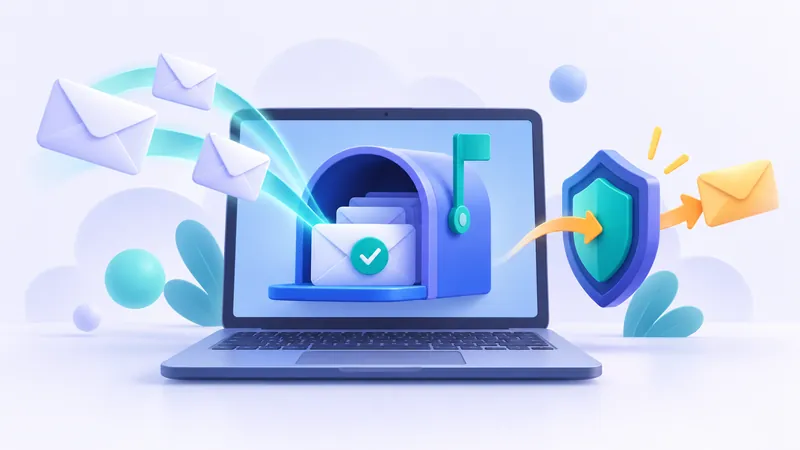
A catch-all email address is a server configuration that captures every message sent to your domain, even if the sender mistypes the username or emails an address that does not formally exist. Instead of bouncing back with an undeliverable error, incoming mail addressed to anything@yourdomain.com routes straight into a single designated inbox. While this setup prevents lost messages, it also creates substantial spam challenges and forms the architectural foundation that powers modern temporary email platforms.
How a Catch-All Mailbox Works Under the Hood
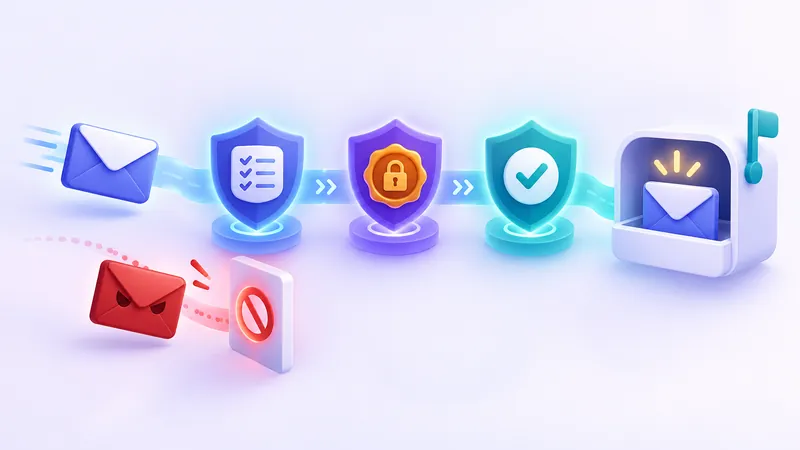
In a standard email setup, a mail server receives an incoming connection and inspects the recipient header. The server checks its user directory to verify whether that specific mailbox exists. If you own example.com and have only configured alex@example.com, an incoming message addressed to contact@example.com triggers a 550 SMTP rejection status, bouncing the email back to the sender as undeliverable.
When you enable a catch-all mailbox, the server rules change completely. Instead of rejecting unrecognized recipient strings, the Mail Transfer Agent (MTA) accepts the message and directs it to a predetermined default account. As long as the domain name after the "@" symbol matches your MX records, the server accepts the message regardless of what appears before the "@" sign. To understand the deeper mechanics of mail delivery protocols, you can read our guide on how email works with SMTP, MX records, and inboxes.
This mechanism operates entirely at the server routing level. The sender does not receive an alert indicating that their message went to a catch-all destination rather than a dedicated personal inbox. To the sender's client, the transaction looks identical to a standard, verified delivery.
Common Business Uses: Why Organizations Set Up Catch-All Addresses
Catch-all routing became popular in the early days of corporate email hosting, and many organizations continue to rely on it for several practical business reasons.
- Preventing lost sales inquiries: Potential clients frequently misspell employee names or guess generic department names. If a prospect sends a project brief to inquiries@example.com instead of inquiry@example.com, a standard server drops the lead. A catch-all inbox ensures that missed keystrokes do not translate into lost revenue.
- Managing employee departures: When team members leave a company, IT administrators eventually decommission their individual accounts. A catch-all setup allows the business to review incoming correspondence from clients who may not have received updated contact details, avoiding abrupt communication blackouts.
- Creating ad-hoc functional addresses: Marketing teams and project managers often need quick destination addresses for short-term campaigns, vendor registrations, or specific print materials. With catch-all routing enabled, an employee can simply publish summer-event-2025@example.com without requiring an IT administrator to log into the control panel and configure a new mailbox or alias.
If you run a small business domain, you do not always need a full catch-all setup to manage variations. Creating explicit email aliases or setting up group distribution lists provides similar organizational benefits without exposing your domain to the raw torrent of catch-all spam.
The Dark Side of Catch-All Mailboxes: Spam and Security Risks
Despite its convenience, running a catch-all address on a public corporate or personal domain introduces severe drawbacks. Over the past two decades, automated abuse has made unfiltered catch-all inboxes difficult to maintain.
1. Dictionary Attacks and Address Harvesting
Spammers do not need to know your real email address to flood your server. Automated botnets run continuous dictionary attacks against active domains, blasting millions of emails to common combinations such as admin@, billing@, hr@, ceo@, john@, and random alphanumeric strings. In a standard setup, your mail server rejects these invalid addresses at the network edge during the initial handshake. Under a catch-all policy, your server accepts every single attempt, dumping thousands of unsolicited messages into your primary collection mailbox.
2. Resource Strain and Server Overheads
Processing, scanning, and storing massive waves of junk mail consumes meaningful server compute cycles, memory, and storage bandwidth. If your spam filter must analyze tens of thousands of spam messages daily just to preserve three mistyped customer inquiries, the operational cost often outweighs the benefits. Furthermore, heavy processing loads can delay legitimate communications and degrade mail server performance.
3. Increased Phishing Exposure
Cybercriminals routinely target organizations by sending customized phishing lures to guessed organizational titles, such as payroll-updates@example.com or compliance@example.com. When catch-all routing delivers these unverified messages directly to administrative staff, the likelihood of an unsuspecting employee interacting with a malicious link increases. Catch-all mailboxes bypass one of the most effective initial security barriers in email hygiene: recipient verification.
How Disposable Email Services Rely on Catch-All Routing
While catch-all routing presents significant challenges for everyday business inboxes, it serves as the essential technical foundation for the temporary email industry. Disposable email platforms exist to give users clean, short-lived inboxes to register on websites without handing over their personal identities or accumulating marketing clutter.
When you use a temporary email service behind the scenes, you do not wait for an administrator to generate a physical mailbox on a database. Instead, platforms like FakeEmail.net maintain high-throughput mail servers configured to accept incoming traffic for any username addressed to their active domains. Because the inbound servers operate with catch-all routing, the system can accept messages for dynamically generated addresses the exact millisecond they are requested.
Here is how the disposable workflow handles that inbound stream safely:
- Instant address allocation: When you open FakeEmail.net, the system assigns you a random username or lets you choose your own handle using the "Change" button. No account creation or password configuration occurs.
- Catch-all capture: A third-party website dispatches an activation code to your assigned temporary address. The receiving mail server accepts the message immediately because its catch-all policy accepts all incoming traffic aimed at the domain.
- Session-based routing: Rather than dumping every message into one chaotic public feed, internal routing software inspects the specific recipient address and pushes the email exclusively to the corresponding active browser session.
- Strict receive-only policies: Temporary email infrastructure is deliberately engineered as receive-only. Senders cannot use disposable catch-all systems to transmit outbound spam, which helps protect domain deliverability and prevents abusive activity. You can explore the architectural reasons behind this design in our breakdown on why temporary email is receive-only.
Because catch-all architectures allow any message sent to a supported domain to land on the server, temporary inboxes are not private vaults. Anyone who selects or guesses an active address can view incoming messages. Never use temporary or catch-all disposable addresses for banking, medical records, or sensitive personal accounts.
Catch-All Email vs. Email Aliases vs. Standard Inboxes
Understanding the operational differences between inbox types helps you determine whether catch-all routing makes sense for your workflow or whether alternatives like disposable inboxes or standard aliases represent a better fit.
| Feature | Standard Mailbox | Catch-All Address | Email Alias | Disposable Temp Mail |
|---|---|---|---|---|
| Setup Requirement | Specific individual account configuration | Single server-wide wildcard rule | Forwarding rule tied to an existing inbox | Instant, automatic session assignment |
| Typo Tolerance | None (rejects with 550 bounce error) | Absolute (accepts all misspellings) | None (rejects non-configured variations) | Full within active session parameters |
| Spam Exposure | Moderate (depends on address sharing) | Extreme (receives brute-force dictionary spam) | Low to moderate (can be revoked individually) | Isolated away from personal mailbox |
| Storage Impact | Predictable per user quota | High and unpredictable volume | Zero additional mailbox overhead | Temporary browser session storage |
| Primary Best Use | Daily personal and business communication | Edge-case lead capture on custom domains | Organizing newsletters and specific vendors | One-time signups, trials, and public Wi-Fi |
Should You Enable a Catch-All Address on Your Personal or Business Domain?
For most modern domain owners, enabling a traditional catch-all mailbox creates more problems than it solves. The sheer volume of automated web scraping and dictionary-based spam means your designated collection address will quickly fill with thousands of useless solicitations, phishing campaigns, and bounce notifications from spoofed senders.
However, catch-all configurations can remain practical under specific, tightly controlled conditions:
- Advanced Bayesian filtering: If you route your catch-all address through an enterprise-grade spam scrubbing gateway before messages reach your inbox, you can weed out automated garbage while retaining legitimate mistyped correspondence.
- Isolated review folders: Never route catch-all mail directly into your personal or primary work stream. Forward catch-all deliveries into a secondary archive folder that you review manually once a week.
- Subdomain isolation: Rather than setting a catch-all rule on your primary corporate domain (company.com), configure it on a specific routing subdomain (such as inbound.company.com) used strictly for promotional materials or API routing.
If your primary motivation is avoiding marketing spam when signing up for services across the internet, running a catch-all server on your personal domain is the wrong approach. Using a dedicated disposable service like FakeEmail.net allows you to generate random, short-lived addresses on the fly, examine verification links directly in your browser, and walk away without managing server rules, filtering spam blasts, or exposing your real domain to data brokers.
Frequently asked questions
Does a catch-all email address receive emails sent to deleted accounts?
Yes. If an employee departs and their user mailbox is removed, any incoming messages sent to their former address will automatically route into the catch-all mailbox rather than bouncing back to the sender.
Can spammers detect if a domain has a catch-all email enabled?
Yes. Spammers routinely run automated verification scripts that send test SMTP handshakes to nonsensical addresses like randomstring12345@yourdomain.com. If the server accepts the recipient instead of returning a 550 rejection code, the software flags the domain as catch-all.
What is the difference between a catch-all email and an email alias?
An email alias is a specific, explicitly defined forwarding address, such as sales@example.com pointing to alex@example.com. A catch-all email is a wildcard rule that captures all conceivable strings sent to your domain, even if they were never defined.
Why do major email hosts discourage using catch-all mailboxes?
Providers like Google Workspace and Microsoft 365 often discourage catch-all routing because it dramatically increases spam processing loads, strains security filtering systems, and elevates the risk of phishing messages slipping past automated defenses.
Is a catch-all address safe for receiving two-factor authentication codes?
Catch-all addresses on private, well-secured business domains can safely receive authentication codes. However, you should never receive sensitive two-factor codes on public or disposable catch-all mailboxes, as anyone who knows or selects the address can view the message.
Need a disposable address right now? Get one free in a single click — no sign-up.
Get a temp email