How to Stop Spam Emails: 12 Inbox Habits That Work
On this page
- 1. Train Your Spam Filter (Do Not Just Delete)
- 2. Unsubscribe Safely (and Know When Not To)
- 3. Use a Disposable Temp Mail Address for One-Off Signups
- 4. Hide Your Main Address With Email Aliases
- 5. Never Reply to Obvious Spam
- 6. Check If Your Address Was Leaked in a Data Breach
- 7. Create Custom Inbox Rules and Filters
- 8. Keep Your Primary Address Off Public Webpages
- 9. Disable Automatic Image Loading
- 10. Uncheck Hidden Marketing Boxes During Checkout
- 11. Use Disposable Email to Isolate Unknown Senders
- 12. Separate Your Online Identity Into Distinct Tiers
- Take Control of Your Inbox Today
To learn how to stop spam emails, you need a two-front strategy: train your email client to catch junk that slips through, and stop handing out your real address to every service online. Combining built-in spam filters, safe unsubscribing routines, and temporary email for one-off signups will cut your daily junk mail down to near zero. Here are twelve practical steps you can implement today to keep your inbox clean for good.
1. Train Your Spam Filter (Do Not Just Delete)
When an unwanted message lands in your primary inbox, your first instinct might be to hit the delete button. Doing that removes the visual clutter, but it does nothing to prevent the sender from emailing you again tomorrow. Most major email providers rely on machine learning algorithms to identify junk, and they rely on your manual feedback to improve.
Instead of deleting the message, select it and click Report Spam or Mark as Junk. This action feeds technical details—such as the sending IP address, domain reputation, and specific wording—into your provider's spam detection engine. Over time, your mailbox becomes significantly smarter at automatically diverting similar messages straight into your junk folder.
2. Unsubscribe Safely (and Know When Not To)
If you receive marketing newsletters from legitimate companies you previously shopped with, using the unsubscribe button is the right path. Reputable brands honor opt-out requests promptly because marketing regulations require them to do so. However, blindly clicking links in suspicious emails can make your spam problem much worse.
When dealing with shady, unsolicited messages, the "unsubscribe" link is often a trap. Clicking it informs the scammer that your inbox is monitored by a real person, which turns your address into high-value target on reseller lists. To protect yourself, read our detailed guide on how to unsubscribe from unwanted emails safely before clicking unfamiliar links.
3. Use a Disposable Temp Mail Address for One-Off Signups
Every time you submit your real email address to download a free PDF, access a public Wi-Fi hotspot, or read a gated article, you enter a commercial mailing list. Many of these websites eventually share, trade, or lose your address in marketing databases, leading to a flood of unsolicited pitches.
Whenever you need a code or download link from a website you do not plan to use again, use a free temporary email service like FakeEmail.net. A disposable inbox lets you receive verification links instantly without registering or revealing your personal identity. Because the temporary mailbox is receive-only and short-lived, any subsequent spam sent to that address vanishes into the void instead of cluttering your everyday inbox.
4. Hide Your Main Address With Email Aliases
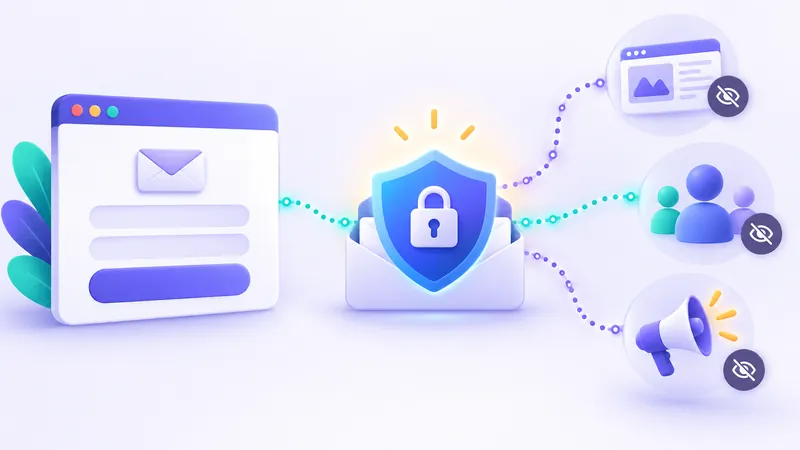
You cannot use a throwaway inbox for critical accounts like banking, school portals, or primary online shopping accounts. For those essential services, create an extra layer of defense using email forwarding aliases. Alias services create unique forwarding addresses that quietly pass legitimate emails through to your primary inbox while masking your true identity.
You can create specialized forwarding addresses through providers like Apple's Hide My Email, DuckDuckGo Email Protection, or specialized alias forwarding tools. If one specific alias starts receiving aggressive junk, you simply toggle it off without affecting your main inbox. You can learn more about how forwarding setups operate in our breakdown of email aliases, plus addressing, and relay services.
5. Never Reply to Obvious Spam
It can be tempting to reply to an aggressive sales rep or scammer with a sharp "Remove me from your list." Never do this. Spammers frequently send massive campaigns to millions of randomly generated email addresses. They have no idea whether your specific address is active until you interact.
Replying to a spam message confirms that your mailbox is monitored, your account is active, and someone is reading incoming messages. Spammers celebrate this response by tagging your profile as verified and selling it to other bulk senders. When you see junk from an unknown sender, mark it as spam immediately and move on.
6. Check If Your Address Was Leaked in a Data Breach
Sometimes your inbox gets flooded even if you are exceptionally cautious with signups. Data breaches occur regularly across web platforms, exposing millions of usernames, passwords, and contact records to the public internet. Fraudsters crawl these breach dumps to compile fresh targets for spam and phishing campaigns.
Visit trusted breach aggregation tools such as Have I Been Pwned to see whether your email address has appeared in any compromised databases. If your address shows up on breach records, you know why you are receiving strange solicitations. Take a moment to review what to do next if your email was in a data breach to secure your associated accounts.
Pro Tip: If an old email address appears in dozens of ancient breaches and receives unmanageable volumes of spam daily, it may be time to retire it. Transition your key accounts to a clean, fresh address protected by aliases.
7. Create Custom Inbox Rules and Filters
Modern webmail clients let you build automated sorting rules based on keywords, subject lines, or sender headers. If your provider's native spam filter misses specific types of repetitive promotions, you can set up a personal rule to handle them automatically.
- Create a rule that looks for common promotional words like "clearance," "limited time offer," or "unsubscribe" in the body text.
- Automatically route messages matching those phrases into a secondary folder named "Newsletters" or straight into the trash.
- Filter messages where your email address is not explicitly listed in the "To:" field (often an indicator of blind carbon copy mass spam).
Personal rules keep your primary inbox quiet while ensuring you do not waste time manually sorting promotional clutter every morning.
8. Keep Your Primary Address Off Public Webpages
Harvesters deploy automated web scrapers across forums, social media profiles, and personal blogs looking for the "@" symbol. If you post your real address on a public comment board or portfolio website, a harvesting bot will find it within days.
If you must share contact information publicly for business purposes, take steps to obscure it. You can publish your address as an image, write it out phonetically (for example, alex [at] example [dot] com), or use an embedded contact form that shields your destination address behind a web server.
9. Disable Automatic Image Loading
Most commercial marketing emails contain tiny, invisible single-pixel graphics known as tracking pixels. When your email client downloads that image from the sender's server, the sender learns your IP address, device type, and the exact timestamp when you opened the message.
Open your email client's privacy settings and look for options labeled "Block remote images" or "Ask before displaying external content." Blocking automatic images protects your privacy and prevents senders from knowing you opened their campaign, helping you stay off high-priority sender lists.
10. Uncheck Hidden Marketing Boxes During Checkout
Whenever you order products or create an account on a commercial site, pay close attention to the final confirmation screen. Retailers frequently include pre-checked consent boxes beneath the payment fields that say things like: "Yes, send me news, exclusive discounts, and third-party partner promotions."
By leaving those boxes checked, you give the company legal permission to send marketing pitches and share your data with their promotional partners. Always scan checkout forms carefully and uncheck every non-mandatory box before clicking submit.
11. Use Disposable Email to Isolate Unknown Senders
When you are curious about a new forum, testing out a web app, or grabbing a promo code, you do not yet know if the platform respects data privacy. Rather than hoping for the best, treat every unvetted website as a potential spam vector.
Keep a tab open to FakeEmail.net when browsing new platforms. You can copy the randomly assigned address, grab your confirmation link, and leave. You can pick your own temporary username, manage up to 10 addresses in one browser session, and trash an address the second you are done. The service requires zero registration, meaning you never leave a trail of personal details behind.
Remember: Temporary mailboxes are public and receive-only. Never use a burner email address for personal communications, financial transactions, or accounts that hold sensitive private data.
12. Separate Your Online Identity Into Distinct Tiers
The most reliable long-term defense against spam is dividing your digital activity across separate inboxes based on importance and risk. Trying to manage your entire digital life from a single inbox almost guarantees that marketing junk will eventually drown out personal notes.
| Mailbox Tier | Recommended Address Type | Ideal Purpose |
|---|---|---|
| Personal & Financial | Private, unlisted primary address | Family, banking, medical, official government portals |
| Commercial & Shopping | Secondary address or dedicated email alias | E-commerce purchases, trusted newsletters, streaming apps |
| Public & Disposable | Temporary burner mail (FakeEmail.net) | One-time downloads, trial signups, Wi-Fi access, testing |
By enforcing this three-tier system, you establish a permanent firewall around your primary inbox. Spam can only enter accounts that you do not mind discarding or filtering aggressively.
Take Control of Your Inbox Today
You do not have to accept an unmanageable stream of junk mail as the price of using the modern internet. By training your spam filters, refusing to engage with suspicious messages, and guarding your real address with disposable temporary tools, you can keep your primary inbox focused strictly on what matters.
Frequently asked questions
Does unsubscribing from spam actually work?
Unsubscribing works well for legitimate, reputable businesses that must comply with commercial email laws. However, clicking unsubscribe on illicit, unsolicited spam confirms your address is active, which can lead to even more junk.
Why am I suddenly getting dozens of spam emails every hour?
A sudden, massive surge in spam is often called a 'spam bomb.' Attackers sometimes flood your inbox to bury legitimate security alerts—such as password reset notices or unauthorized purchase receipts—beneath a wall of noise.
Can spammers tell if I just opened their email?
Yes, if your email app is set to automatically load remote images. Marketing emails often embed tiny invisible pixels that notify the sender's server the moment the message is displayed on your screen.
Is it safe to use temporary email for shopping sites?
Disposable temporary email works well for quick coupon downloads, but avoid using it for actual purchases where you might need future shipping updates, order history, or warranty support.
Need a disposable address right now? Get one free in a single click — no sign-up.
Get a temp email