Fake Email vs Temp Email vs Email Alias: Differences
On this page
A fake email—also called a temporary email or disposable email—is an instant, short-lived address designed to receive messages without requiring registration or personal information. In contrast, an email alias is an alternate forwarding address tied directly to your permanent mailbox that routes incoming messages straight to you. Choosing between them comes down to whether you need a quick throwaway inbox for a single verification code or a persistent shield that lets you manage ongoing communications.
When you browse online privacy tools, you will encounter a maze of overlapping terms: burner email, throwaway inbox, temp mail, plus addressing, and relay accounts. While people often use these labels interchangeably, they operate under very different technical rules and serve distinct purposes. Using the wrong tool can lead to lost accounts or unwanted marketing spam cluttering your primary inbox.
The Core Differences at a Glance
To help you decide which tool fits your current task, this table compares the most common types of secondary and privacy-focused email addresses based on how long they last, whether you can reply, how private they are, and what happens if you need to recover an account.
| Address Type | Typical Lifespan | Can You Send/Reply? | Privacy Level | Account Recovery | Best Used For |
|---|---|---|---|---|---|
| Temporary / Disposable Email | Minutes to hours (session-based) | No (Receive-only) | High anonymity, zero personal data, public inbox | Impossible once closed/cleared | One-time downloads, gated Wi-Fi logins, quick verifications |
| Email Alias (Forwarding / Relay) | Indefinite (until disabled) | Yes (via relay) | Medium (hides real address, but vendor knows target) | Yes (delivered to real inbox) | Online shopping, newsletters, ongoing subscriptions |
| Plus Addressing (+tag) | Permanent (part of main inbox) | Yes (from real account) | Low (reveals your real username to tech-savvy senders) | Yes (direct to real inbox) | Filing newsletters, organizing receipts, basic filtering |
| Secondary Account (Second Mailbox) | Permanent | Yes | Moderate (requires signup, separate credentials) | Yes (via backup phone/email) | Job hunting, public inquiries, side projects |
| Burner / Throwaway Email | Varies (single use to days) | Rarely (mostly receive-only) | High anonymity, public or semi-private | Unreliable to impossible | Untrusted websites, avoiding sales follow-up calls |
What Is a Fake or Temporary Email?
A temporary email—frequently called a temporary email, disposable email, or burner email—is a mailbox generated on demand by an automated service. When you visit a service like FakeEmail.net, the system automatically assigns you a randomized address connected to one of its hosted domains. There is no username to invent, no password to remember, and zero identity verification required.
These addresses are deliberately ephemeral. The inbox checks for incoming traffic in real time, displays verification codes or confirmation links right in your browser, and discards data after a set period. On FakeEmail.net, for instance, inboxes are tied to your browser session and remain active until approximately two hours of inactivity pass, after which the session expires.
Because these services are strictly receive-only, you cannot send messages or dispatch outgoing replies. They function as a one-way digital drop box. Anyone who knows or guesses a specific address on that domain could theoretically view incoming messages, which is why temporary mail should strictly be used for low-stakes, non-sensitive activities.
What Is an Email Alias?
An email alias is not a separate mailbox; it is an alternate forwarding route that leads back to your real email address. Aliases generally fall into two categories: native provider aliases and private relay services.
Native aliases are built into major email platforms. For example, Google and Microsoft allow users to set up alternative names or leverage plus addressing (such as username+shopping@gmail.com). Every message sent to that variation lands directly in your primary inbox, where you can sort it using automated rules. However, standard plus addressing does not hide your actual username from website operators.
Privacy relay aliases—such as those provided through built-in OS tools or dedicated privacy suites—act as an intermediate proxy. When a merchant sends an email to the alias, the relay server strips out tracking scripts and passes the message forward to your real address. If the vendor starts spamming you, you can simply switch off the alias without altering your real mailbox.
Comparing Burner Emails and Disposable Inboxes
The term "burner email" originates from the concept of a prepaid burner phone: a communication tool you use briefly and discard immediately. In practical terms, a burner email is identical in function to a disposable email inbox.
Both terms describe tools you grab for brief interactions where you never expect to engage in ongoing conversation. Typical scenarios include:
- Meeting an email requirement to read a gated industry whitepaper.
- Connecting to a hotel or public Wi-Fi network that demands a sign-up email.
- Signing up for an unfamiliar online forum just to search an archived thread.
- Testing how a web application delivers its welcome email during development.
Because disposable inboxes do not preserve your messages permanently, they prevent promotional drip campaigns from ever reaching your real inbox. Once your browser session ends, the connection between you and that sender is completely severed.
Tip: If you are testing a temporary address on your mobile device, look for platforms that offer cross-device handoffs. FakeEmail.net provides a temporary QR code valid for one hour that mirrors your active session to your smartphone without typing long addresses.
Strengths and Weaknesses of Each Approach
Choosing the right privacy tool requires balancing convenience against longevity and recovery requirements.
Temporary & Disposable Emails
Pros:
- Instant access with no account registration or setup friction.
- Total separation from your real identity and personal inbox.
- Zero risk of spam spilling over into your day-to-day mailbox.
Cons:
- Receive-only architecture prevents you from replying to senders.
- No password recovery if a platform locks your account later.
- Some platforms maintain blocklists of known disposable domains.
Email Aliases & Relays
Pros:
- All incoming correspondence is neatly consolidated inside your normal inbox.
- Supports continuous, two-way communication when needed.
- Can be deactivated individually without disturbing your primary account.
Cons:
- Requires an initial configuration process with a relay provider or mailbox host.
- A compromised relay service could reveal your underlying real address.
- Marketing spam still enters your personal inbox until you manually disable the alias.
When to Use a Fake Email vs an Alias
Knowing which tool to deploy protects both your personal privacy and your long-term access to essential digital services.
Use a Temporary Email When:
- You only need a one-time verification link: If you are downloading a single design asset, accessing an e-book, or checking out a web app you may never visit again, a throwaway address is optimal.
- You want zero marketing trail: When you suspect a site will sell your address or bombard you with aggressive marketing newsletters, a disposable address eliminates the problem at the root.
- You are testing software: Software engineers and QA testers routinely use temporary mailboxes to verify registration flows and automated notification triggers.
Use an Email Alias When:
- You are making an online purchase: E-commerce stores send order confirmations, shipping tracking numbers, and return receipts over several days or weeks. An alias ensures you receive those updates while hiding your primary email.
- You register for ongoing services: For software subscriptions, streaming platforms, or community memberships you plan to use indefinitely, an alias offers durability alongside privacy.
- You might need account recovery: If there is any chance you will forget your password or need a security pin six months from now, an alias is essential because temporary addresses cannot guarantee long-term message retrieval.
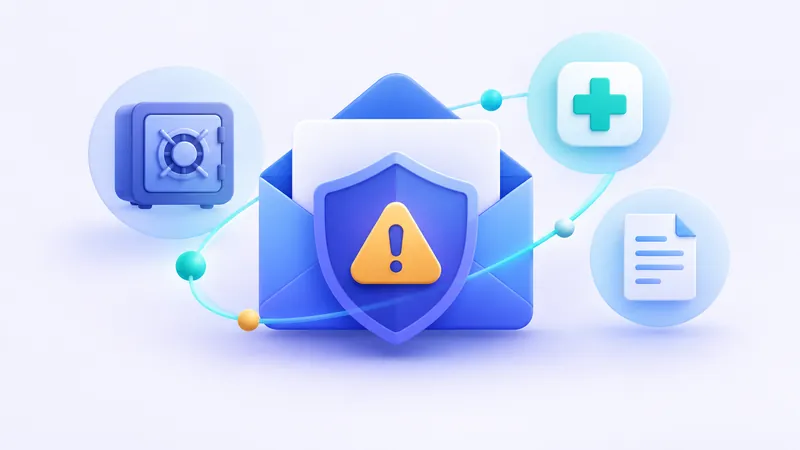
Warning: Never use a temporary or disposable email address for government services, banking, tax portals, medical portals, or major account credentials. Because temporary inboxes lack permanent passwords and can be accessed by anyone who generates the same address name, using them for sensitive accounts creates severe security risks.
How to Use FakeEmail.net Effectively
If you determine that a disposable address fits your needs, using FakeEmail.net takes only a few seconds. The moment you navigate to the site, an active address is prepared for you automatically. You can copy the address with a single click, paste it into the registration field of the site you are visiting, and watch the messages appear in real time on the screen.
If you prefer a custom prefix, you can use the "Change" button to select a preferred name on one of our available domains. You can manage up to 10 active addresses simultaneously within the same browser session. When you finish your task, click "Delete" to clear the inbox immediately, or close your browser tab and let the two-hour inactivity timeout handle the cleanup automatically.
Choosing the Right Tool for the Job
Online privacy does not require a single all-or-nothing solution. The most effective approach combines multiple layers according to the situation. Reserve your real, personal email address for friends, family, employment, and critical institutions like your bank.
For services you want to keep but do not fully trust with your personal data, deploy an email alias or relay. And whenever you encounter an untrusted website, a mandatory sign-up wall, or a fleeting download gate, rely on a fake email generator to keep your primary inbox spotless, secure, and spam-free.
Frequently asked questions
Can I send an email from a fake email address?
Most temporary email services, including FakeEmail.net, are strictly receive-only to prevent spam abuse and malicious activity. If you need to send an email while shielding your identity, use an email alias or a dedicated secondary mailbox instead.
Are temporary emails completely anonymous?
Temporary emails offer a good degree of privacy because you do not enter a name, phone number, or password to create one. However, like any website, the host server logs basic technical data such as IP addresses, meaning they are not a tool for illicit activities.
Why do some websites reject disposable email addresses?
Many commercial services block known disposable domains to prevent abusive multi-accounting, coupon exploitation, and automated bot registrations. When a website rejects a disposable address, you will need to use a permanent address or a private email alias.
Can someone else see the emails sent to my temporary address?
Yes, on public disposable email services, anyone who knows or enters the exact same address can open that inbox. You should never use a temporary email address to receive sensitive documents, banking details, or confidential personal information.
What happens to incoming messages after the temporary session ends?
Once a browser session expires from inactivity or you manually delete an address, the active view is cleared. While you can recreate the address using the Change tool on FakeEmail.net to view surviving messages, temporary storage is never guaranteed for permanent record-keeping.
Need a disposable address right now? Get one free in a single click — no sign-up.
Get a temp email