Can Temporary Email Be Traced? Privacy, Logs, and Risks
On this page
- What Websites See When You Sign Up With a Temporary Email
- What the Temp Mail Provider Sees and Logs
- Are Temporary Emails Anonymous? The Public Inbox Reality
- How the Digital Trail Connects: Legal Requests and Law Enforcement
- What Different Parties Can See: A Privacy Comparison
- Legitimate Uses for Disposable Email Addresses
- The Bottom Line: Privacy Is Not Impunity
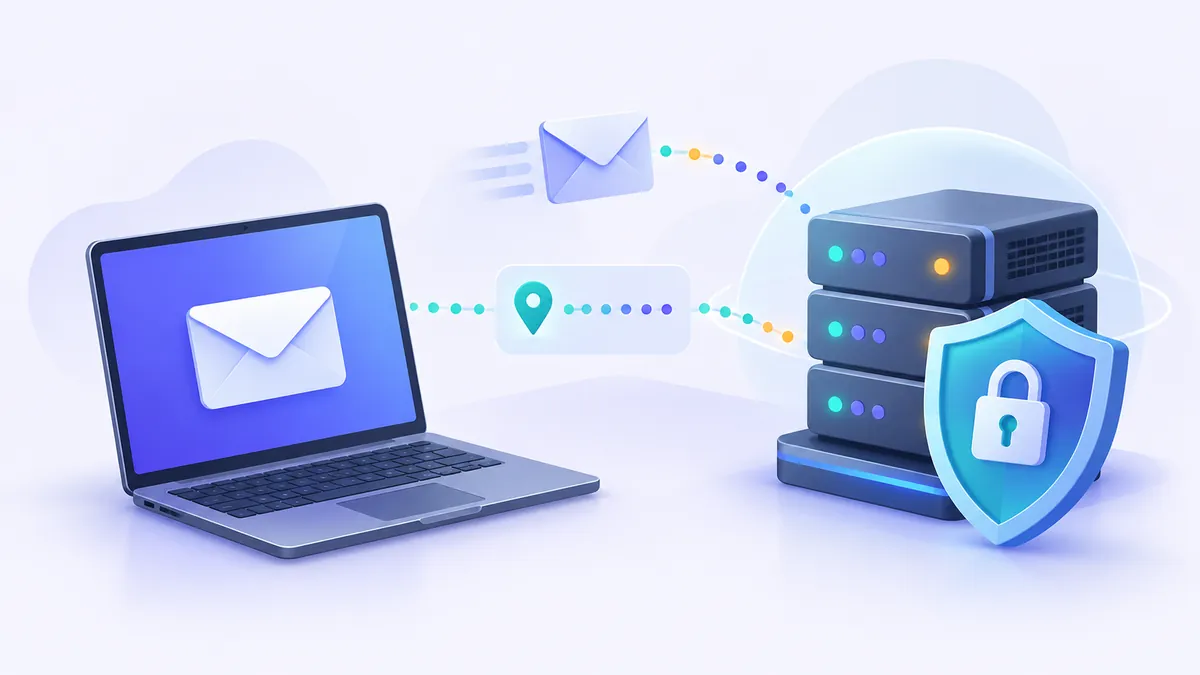
Yes, temporary email can be traced under specific technical and legal circumstances, even though it effectively hides your real identity from everyday marketers. While the website you register on will not see your primary personal inbox or your name, both that website and your temporary email provider maintain server logs containing your IP address and connection details. If law enforcement investigates unlawful activity, investigators can legally request those logs and correlate them with your internet service provider to identify you.
Many people turn to a temporary email to shield their personal life from unwanted promotional campaigns, data brokers, and security breaches. Understanding how far that protection goes is critical. A disposable address offers convenience and practical privacy, but confusing that with absolute anonymity can lead to serious security mistakes.
What Websites See When You Sign Up With a Temporary Email
When you enter a disposable address into a registration form, the host website receives more than just the text string in the email box. Web servers gather extensive metadata during every HTTP request to facilitate communication and monitor for abuse.
Here is what the destination platform routinely logs whenever you submit a form:
- Your IP Address: This is the numerical label assigned to your connection by your internet service provider (ISP) or mobile carrier. It indicates your approximate physical location, usually down to your city or region.
- User-Agent String: Your browser sends technical details about your operating system, browser brand, version number, and device architecture.
- Browser Fingerprint: Modern tracking scripts evaluate installed fonts, screen resolution, timezone, graphics hardware, and browser extensions to generate a semi-unique identifier for your device.
- Interaction Timestamps: Exact times when you requested the page, clicked confirmation links, or submitted data are preserved in server logs.
- Referring URLs: The site records the page you visited immediately before arriving at their signup form.
The website cannot see your personal email address, your bank details, or your phone number unless you explicitly provide them. However, if you use the same browser and internet connection to access both your personal accounts and an account created with a disposable email, the host platform can frequently link the two profiles behind the scenes using tracking cookies and device fingerprinting.
To explore how disposable inboxes help limit your everyday exposure to marketing databases and trackers, read our detailed guide on protecting your privacy online with a disposable email.
What the Temp Mail Provider Sees and Logs
Disposable email platforms run standard email (SMTP) and web (HTTP) servers. To deliver incoming messages to your browser in real time, these servers handle network requests that leave digital breadcrumbs.
Whenever you open an inbox on a service like FakeEmail.net, the underlying infrastructure processes incoming connections. Generally, temp mail services encounter two categories of data:
- Web Traffic Logs: When you open the inbox page in your browser, the web server logs the connecting IP address, the time of the request, and the specific mailbox viewed. FakeEmail.net ties addresses and messages to an active browser session rather than a persistent account, automatically ending sessions after roughly two hours of inactivity.
- Incoming Email Metadata: When a third party sends a message to your temporary address, the mail server receives the sender's IP address, the sender's email domain, routing hops, message subject, and email body content.
Legitimate temporary email services are designed to protect users from consumer tracking, not to hide illicit activities. Most providers operate with standard logging practices to troubleshoot server errors, block incoming spam, and defend against denial-of-service attacks. If an administrative or legal authority presents a valid court order or subpoena, those standard operational logs can be reviewed.
Keep in mind: Free temporary email services do not require passwords or registration. Because FakeEmail.net is receive-only, you cannot send outgoing messages, preventing our servers from being used as conduits for outbound phishing or unsolicited bulk mail.
Are Temporary Emails Anonymous? The Public Inbox Reality
One of the most persistent misconceptions online is equating a disposable inbox with an anonymous, secure communication channel. In reality, temp mail privacy operates on an open model designed for rapid utility rather than confidentiality.
On services like FakeEmail.net, no user accounts or passwords exist. Opening the site generates a random address, and you can also pick a specific username using the "Change" tool. However, this means that anyone who knows or accurately guesses that same address can navigate to the page and inspect the messages delivered there. These inboxes function like an open tray on a public desk.
Because inboxes are publicly accessible to anyone holding the address string, using a disposable mailbox for critical online tasks introduces immediate risks:
- No Account Recovery: If you use a temporary email for a primary service and forget your password later, you may find the address expired or accessed by a stranger.
- Visible Verification Codes: One-time passcodes and password reset links arriving in a public inbox can be read by anyone looking at that address at the same moment.
- Lack of End-to-End Encryption: Standard emails travel in plain text across mail servers unless encrypted with specific tools like PGP, which temporary services do not support.
If you want a deeper look at the technical boundaries between disposable tools and true anonymity networks, review our analysis on what anonymous email is and how private it really is.
How the Digital Trail Connects: Legal Requests and Law Enforcement
When internet users ask, "Can temporary email be traced?", they are often wondering whether law enforcement or digital forensic investigators can uncover the person behind an account. The short answer is yes.
Law enforcement agencies do not rely on email addresses alone. Instead, they use a legal process called data correlation, requesting records across multiple independent services to trace an individual:
1. The Destination Website
An investigator starts with the platform where an incident occurred. Through a warrant or administrative subpoena, they obtain the registration logs, which reveal the temporary email address, the signup timestamp, and the connecting IP address.
2. The Temporary Email Service
If the target website only has an email address, investigators can contact the company hosting the temporary mail domain. By reviewing server access logs for that specific address at that timestamp, technicians can identify the connecting IP address used to view the inbox.
3. The Internet Service Provider (ISP)
Once investigators possess the IP address and accurate UTC timestamps, they serve a legal request to the ISP or mobile carrier assigned to that IP block. Under regulatory frameworks like those governed by the Federal Trade Commission (FTC) and telecommunications laws worldwide, internet providers keep subscriber records that link an assigned dynamic IP address to a specific physical address, customer name, and billing record.
This step-by-step chain connects the activity directly back to an individual subscriber line. Using proxy servers or simple privacy tools does not eliminate this forensic process if those intermediate services maintain records or leak DNS requests.
Important Warning: FakeEmail.net strictly prohibits fraud, harassment, spam, evading account suspensions, or exploiting commercial trials. Using temporary email services to bypass security measures or commit abuse violates our Acceptable Use Policy and exposes offenders to standard legal remedies.
What Different Parties Can See: A Privacy Comparison
To visualize the boundaries of temporary email privacy, the table below outlines what different entities can actually see when you use a disposable inbox compared to your real personal account.
| Observer | What They See (Disposable Email) | What They See (Personal Gmail/Outlook) |
|---|---|---|
| The Website You Join | Temporary address, your IP address, device fingerprint, signup time. | Your permanent address, your name, IP address, profile picture (via Gravatar/OAuth). |
| The Temp Mail Provider | Incoming messages, visiting IP address, browser session activity. | N/A (they are not involved in the transaction). |
| Third-Party Data Brokers | An abandoned mailbox that ceases yielding valuable profiling data. | A persistent digital anchor connecting your purchases, browsing, and accounts. |
| Curious Public Users | Full contents of the inbox if they know or guess the mailbox address. | Nothing; the inbox is locked behind personal authentication and passwords. |
| Law Enforcement (with Warrants) | Connecting IP logs from both the site and the temp mail host. | Complete account history, recovery phones, billing records, and cloud backups. |
Legitimate Uses for Disposable Email Addresses
Understanding that temporary email can be traced does not diminish its value as a practical security tool. For lawful, routine web activities, a disposable address serves as a reliable buffer between your digital identity and untrusted platforms.
A temporary email works best in these everyday scenarios:
- Dodging Unwanted Marketing: Many websites demand an email address simply to download a PDF guide or read a single article. A disposable address receives the download link without subjecting your personal inbox to years of sales follow-ups.
- Preventing Data Breach Exposure: Online retailers and forums frequently suffer database breaches. Using a burner email ensures that if a minor website gets hacked, your primary personal address is not published alongside the leaked records.
- Filtering Invasive Tracking: Marketing emails often contain invisible tracking pixels that notify senders when and where you opened a message. Reading these updates in a disposable browser inbox limits the tracking value returned to the sender.
- Testing Software and Signups: Web developers and quality assurance testers use services like FakeEmail.net to test user registration workflows without maintaining dozens of real email accounts.
For a detailed breakdown of the legal and security rules surrounding temporary mail tools, see our article on whether temp mail is safe and legal.
The Bottom Line: Privacy Is Not Impunity
Can temporary emails be traced? Yes. A temporary email address decouples your personal name and routine inbox from casual websites, but it leaves an observable technical footprint on web servers. It is a digital shield against spam, marketing clutter, and low-level data scraping, not a cryptographic cloak of invisibility.
Use temporary email to safeguard your personal inbox, manage clutter, and reduce your exposure to marketing trackers. Treat disposable inboxes as open, non-permanent spaces, never route sensitive credentials through them, and always use legitimate privacy tools responsibly.
Frequently asked questions
Can someone find my personal email if I use a temporary email?
No, standard senders and websites cannot see your real email address when you use a temporary email. The temporary address is an independent mailbox on a different server, with no technical connection to your personal account unless you manually disclose it.
Do temporary email services log my IP address?
Most temporary email services maintain standard web server access logs that record visiting IP addresses, browser agents, and timestamps. These logs are primarily kept for server performance monitoring, spam mitigation, and infrastructure defense.
Can I use a VPN with a temporary email for complete anonymity?
Using a VPN with a temporary email masks your home IP address from both the destination website and the mail provider, increasing your privacy. However, sophisticated tracking techniques like browser fingerprinting, cookies, and behavioral analytics can still correlate your sessions.
Can a temporary email inbox be viewed by other people?
Yes, on free disposable email services like FakeEmail.net, inboxes require no passwords. Anyone who knows, navigates to, or guesses your specific temporary address can view the messages delivered to that inbox.
Is using a temporary email address illegal?
Using a temporary email address is completely legal in almost all jurisdictions. However, using disposable emails to commit fraud, bypass lawful service bans, conduct harassment, or abuse promotional offers violates laws and acceptable use policies.
Need a disposable address right now? Get one free in a single click — no sign-up.
Get a temp email